Web Applications
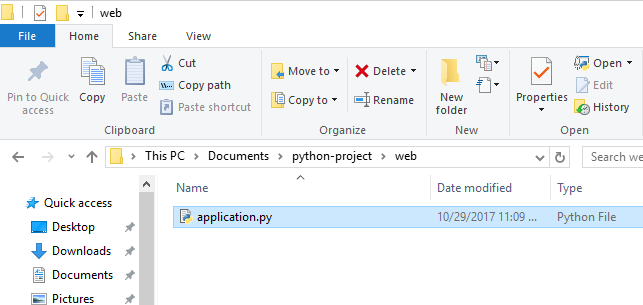
Create a new directory called web. Within it, create a new file called application.py
from flask import Flask

app = Flask(__name__)

@app.route("/")
def hello():
    return "Hello World!"
To run it, open up a shell (double click StartVirtualEnvShell) and input the following:
set FLASK_APP=application.py
set FLASK_DEBUG=1
flask run
Let's break that down
from flask import Flask

app = Flask(__name__)

@app.route("/")
def hello():
    return "Hello World!"
What is a route?
Looking at an example website: http://sensi-sl.org/
| URL | Path |
|---|---|
| http://sensi-sl.org/ | / |
| http://sensi-sl.org/events/ | /events/ |
| http://sensi-sl.org/about-us/ | /about-us/ |
| https://stats.sl/uploads/report.pdf | /uploads/report.pdf |
Routes can support variables
@app.route("/hello/<name>")
def say_hello(name):
    if name is None:
        return "Hello World!"

    return "Hello %s" % name
Now, go to http://127.0.0.1:5000/hello/Sensi in your browser
Then, go to http://127.0.0.1:5000/hello/<yourname> in your browser.
Returning HTML
What you return gets displayed on the page.
You can serve raw HTML and it will render.
@app.route("/events/")
def events():
    return (
        "<ul>"
        "<li>Photoshop Training</li>"
        "<li>Python Training</li>"
        "<li>Word Training</li>"
        "<ul>"
    )
Returning HTML Files
You'll add the code to your .py file and create a folder called templates
/application.py
/templates
    /about-us.html
In about-us.html:
<h1>WHO WE ARE</h1>

<p>Sensi is building a technology innovation community in Sierra Leone ...</p>from flask import render_template
@app.route("/about-us/")
def about_us():
return render_template("about-us.html")
Once you've done that, go to http://127.0.0.1:5000/about-us/ in your browser.
Templates can support variables
Once you've done that, go to http://127.0.0.1:5000/about-us/ in your browser.
@app.route("/membership/")
def membership():
    plans = [
        {"name": "Student", "price": 50000},
        {"name": "Young Pro", "price": 70000}
    ]
    return render_template("membership.html", plans=plans)
In membership.html:
<h1>Membership Plans</h1>
<ul>
{% for plan in plans %}
    <li>{{plan.name}} costs Le {{plan.price}}</li>
{% endfor %}
</ul>
Once you've done that, go to http://127.0.0.1:5000/membership/ in your browser.